Meet the AI team that works with you.
Dynamiq is an ecosystem where a team of AI helpers shares everything you know: your notes, projects and meetings. You ask, the team gets to work, and you stay in charge.
Features
One place for the work, and help doing it
No setup project. Install it, point it at your work, and start asking.
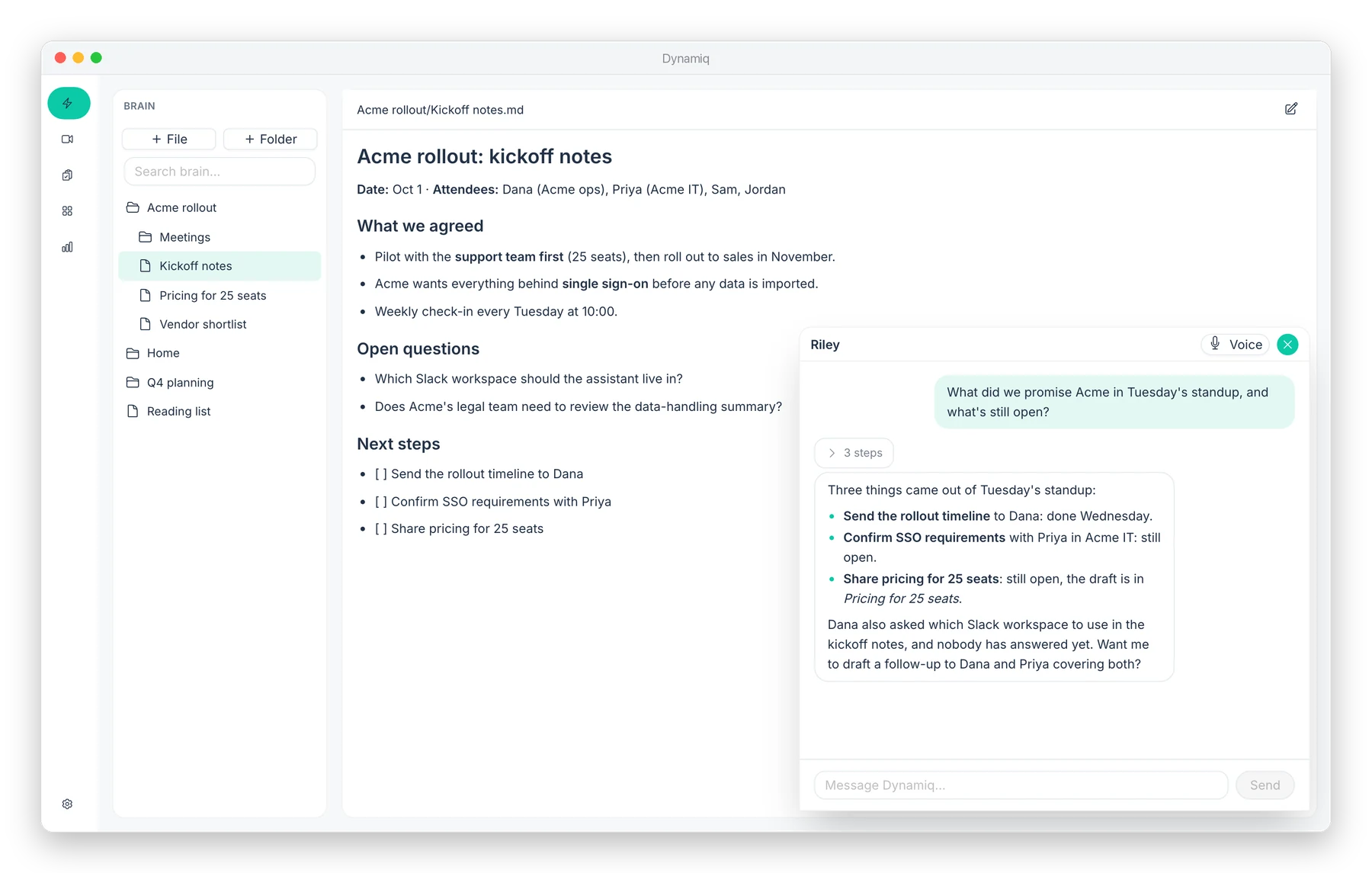
Ask across everything
Chat with your notes, files and meetings in plain English. Get answers grounded in what you've actually written down.
Spaces for each part of life
Give a client, a project or your home its own space, with its own assistant. Set one up in three fields.
Talk instead of type
Hit the mic and speak. Watch the work happen step by step while you talk it through.
Action items that don't slip
Follow-ups from your meetings land in one triage list, so nothing promised gets forgotten.
Connects to your tools
Link the apps you already use in a couple of clicks from Settings. No API keys to paste.
Desktop and phone, in sync
Everything stays in step across your computers and your phone, so you can pick up wherever you are.
Voice
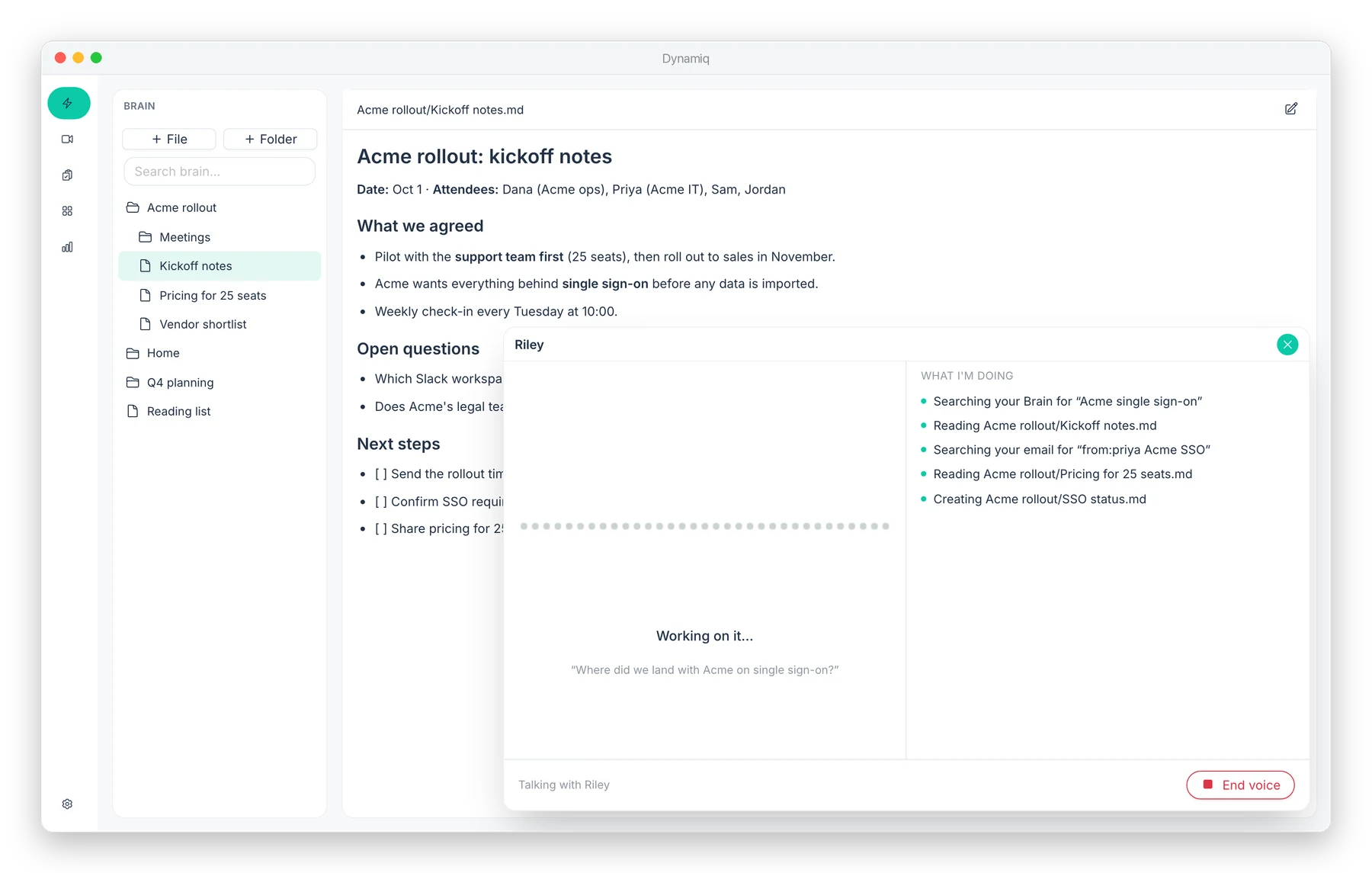
Talk it through. Watch it happen.
Hit the mic and just ask. Dynamiq works through your notes and email while you talk, and shows each step in plain English so you always know what it's doing.
Your tools
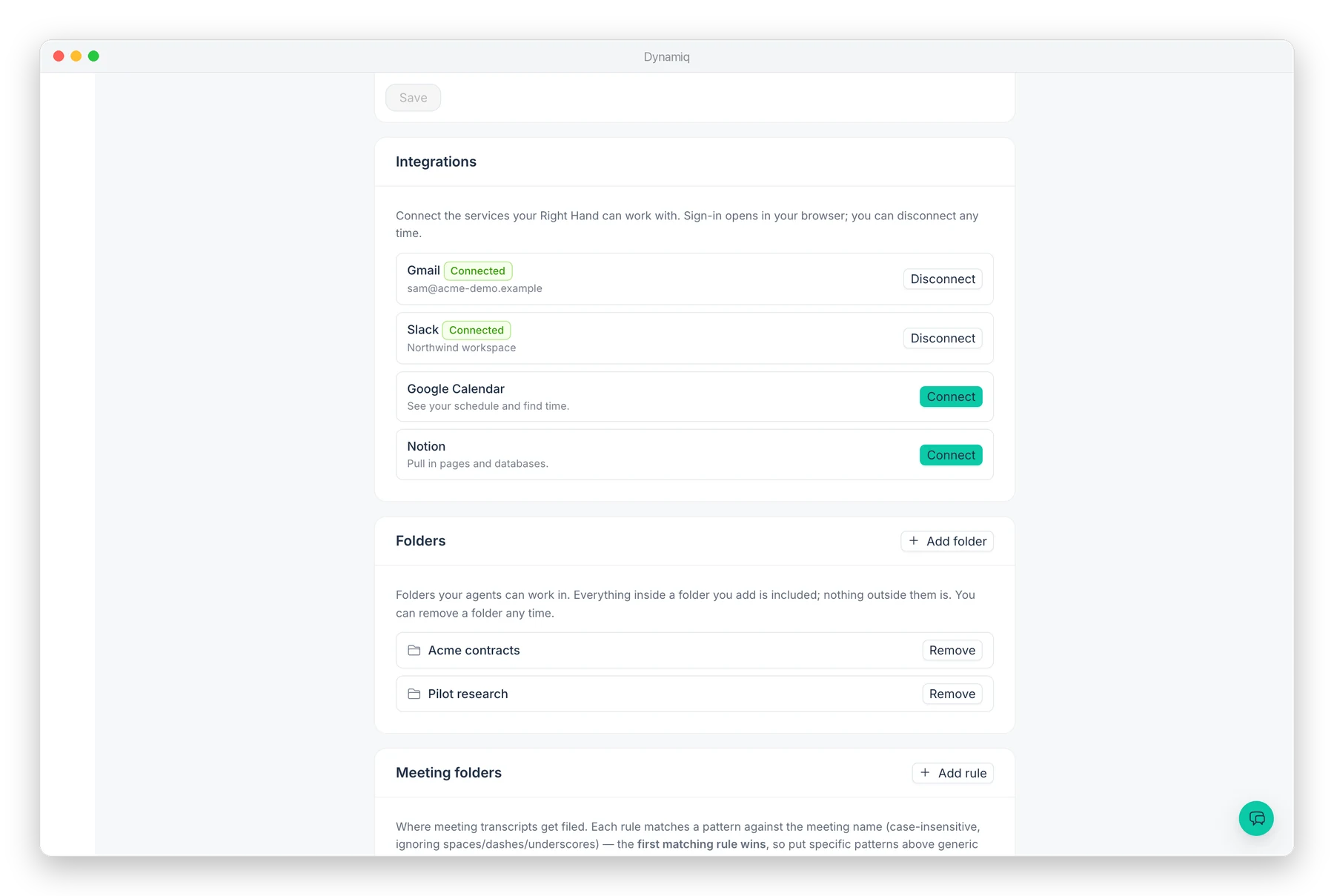
Connect what you use. Share only what you choose.
Link your email and chat in a couple of clicks, and pick the exact folders Dynamiq can work in. Disconnect or remove either any time.
Screenshots show sample data.
Why a team beats a single chatbot
Team + Ecosystem
A lone chatbot starts every conversation blank. Dynamiq is an ecosystem: your notes, meetings, email and chat connect in one place, and a team of helpers shares all of it.
- ✓Each team member has one job and does it well.
- ✓The whole team shares one ecosystem, so context follows you.
- ✓You choose which folders and tools the team can use.
BrainiQ
Your notes and files: the team's shared memory
MeetingiQ
Meetings captured, so nothing said is lost
Your AI team
Works across all four, with you in charge
ActionQ
Every follow-up in one list
TaskQ
The team's work, from start to done
Get Started
Up and running in minutes
-
1
Download and install
Grab the app for Mac or Windows and drag it into Applications. It keeps itself up to date from then on.
-
2
Choose what it can see
Pick the folders and tools Dynamiq can use. Nothing outside them is touched.
-
3
Start asking
Ask a question, plan your week, or turn a meeting into a follow-up, by typing or by voice.
Your data
Your work stays yours.
Everything Dynamiq keeps is stored as plain, readable files. No lock-in, no proprietary format. If you ever leave, you take all of it with you.
- ✓ Portable by design. Standard files you can open in any editor.
- ✓ You choose the access. Only the folders you grant are ever read.
- ✓ Signed and notarised. The Mac app is verified by Apple before it reaches you.